Media Server
A private streaming platform, written from scratch — an always-on mini PC holds films, series and music and brings them to TVs and phones, at home and away, with an app named by whoever uses it.
What it is
A media server is a computer that keeps a collection of videos and music and offers it to other devices the way a streaming service does: posters, plots, “continue watching”, a profile for each person. People usually run Plex or Jellyfin; I wrote this one from scratch, server and apps.
At my place it’s called Prosperi TV, but that name is only mine: the app’s name and logo will be customisable, so whoever installs it gets their own platform, with their own brand, on their own devices.
How it works
- You drop a file into a folder on the server: a film, an episode of a series, an album.
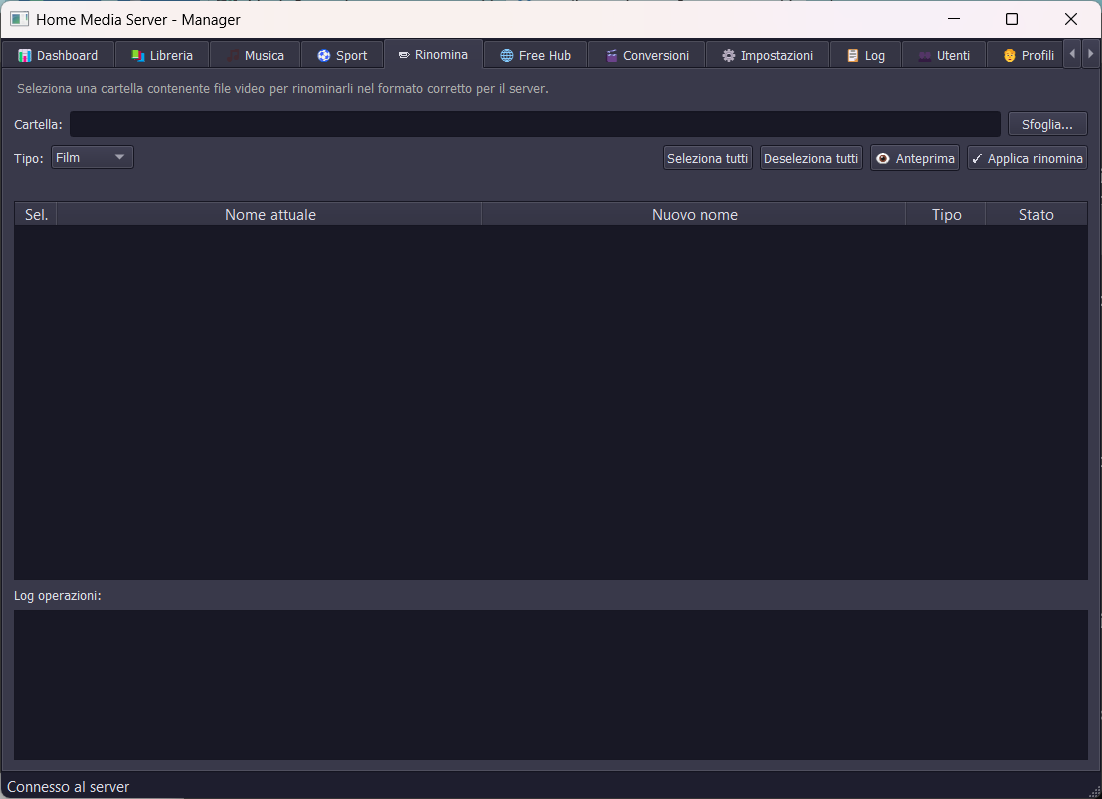
- The server recognises it from its name, renames it tidily and fetches the poster, plot, year, cast and cover art by itself.
- It shows up in everyone’s app, on the TV and on the phone, already in its place: in the right series, the right season, under the right artist.
- You press play and the video streams. You can skip back and forth without waiting for it to download, and resume from the same point on another device.
- If a device can’t play that format, the server converts it overnight into one that plays everywhere, without touching the original.
- Away from home it works the same, at a fixed address, for invited users only.
The pieces
- The server, on a mini PC that’s on day and night, with the library disks. It runs as a Windows service and gets back up by itself if it crashes.
- The apps for Android, Android TV and Fire Stick, one codebase: on the TV it’s driven by the remote, on the phone it has its own tab bar. Profiles inside the account like on Netflix, each with its own history, “My list” and an optional age limit; a “next episode” button, actor and director pages, a music player. They update themselves, downloading the new version from the server.
- The desktop manager, for running things from the PC: library, profiles, users, conversions, server restart.
The work it does on its own
- It converts overnight the videos some device can’t handle (HEVC, HDR, Dolby Vision, 4K on the TV stick), only within a time window and never while someone is watching.
- It checks that series are complete, comparing the library against the official list of seasons and episodes.
- It collects requests: non-admin users ask for a title from the app, and the request turns into “in library” by itself when it arrives.
- A watchdog keeps an eye on the system every 2 minutes: server, network, Windows errors, disk health. When something is wrong it sends a Telegram alert and, only in cases agreed in advance and with a cap, fixes it itself — for example restarting the server if nobody is watching. A language model decides nothing: it classifies never-seen errors and writes the morning report.
- It backs up the server’s data onto another computer every day.
What it can become
- A family’s platform, which stops paying subscriptions to watch what it already owns, and finds it tidy on every screen in the house.
- The video archive of an association, a school or a company: courses, training videos, recordings of events and matches, browsable with users and profiles, without uploading them to outside platforms. The files never leave your own computer.
- A product with your own brand: the app’s name, logo and colours chosen by whoever uses it, on cheap hardware, with no monthly fees.
- It’s modular: new sections, new kinds of content or new devices can be added without redoing the rest.
How it’s built
- Streaming with range requests (HTTP Range): you can skip back and forth without downloading the whole video.
- An FFmpeg conversion queue with Intel hardware acceleration (Quick Sync) and an estimate of the remaining time.
- Access from outside through a Cloudflare tunnel, without opening ports on the router, with users, invitations and token-based access.
- SQLite database in WAL mode, so simultaneous reads and writes don’t block each other.
Screenshots
Want to try my Android apps before they come out? Become a tester