TerapiaOk
A medication reminder that keeps insisting until you confirm. Free, offline, no account.
The problem
When you’re on a cardiac therapy, missing a dose is not an option — and ordinary reminders get swiped away and forgotten. There’s a subtler risk too: between two alarms, a broken reminder app and a working one look exactly the same. You only find out when the alarm doesn’t ring.
The solution
TerapiaOk is free, with no ads, all features and as many medications as you like. It is not on Google Play: download it with the “Download the APK for Android” button above. If it helps you, you can make a voluntary PayPal donation — a discreet invitation, never an obligation.
- Reliable reminders even with the app closed: alarms ring with the phone in standby, after a reboot and with the app closed.
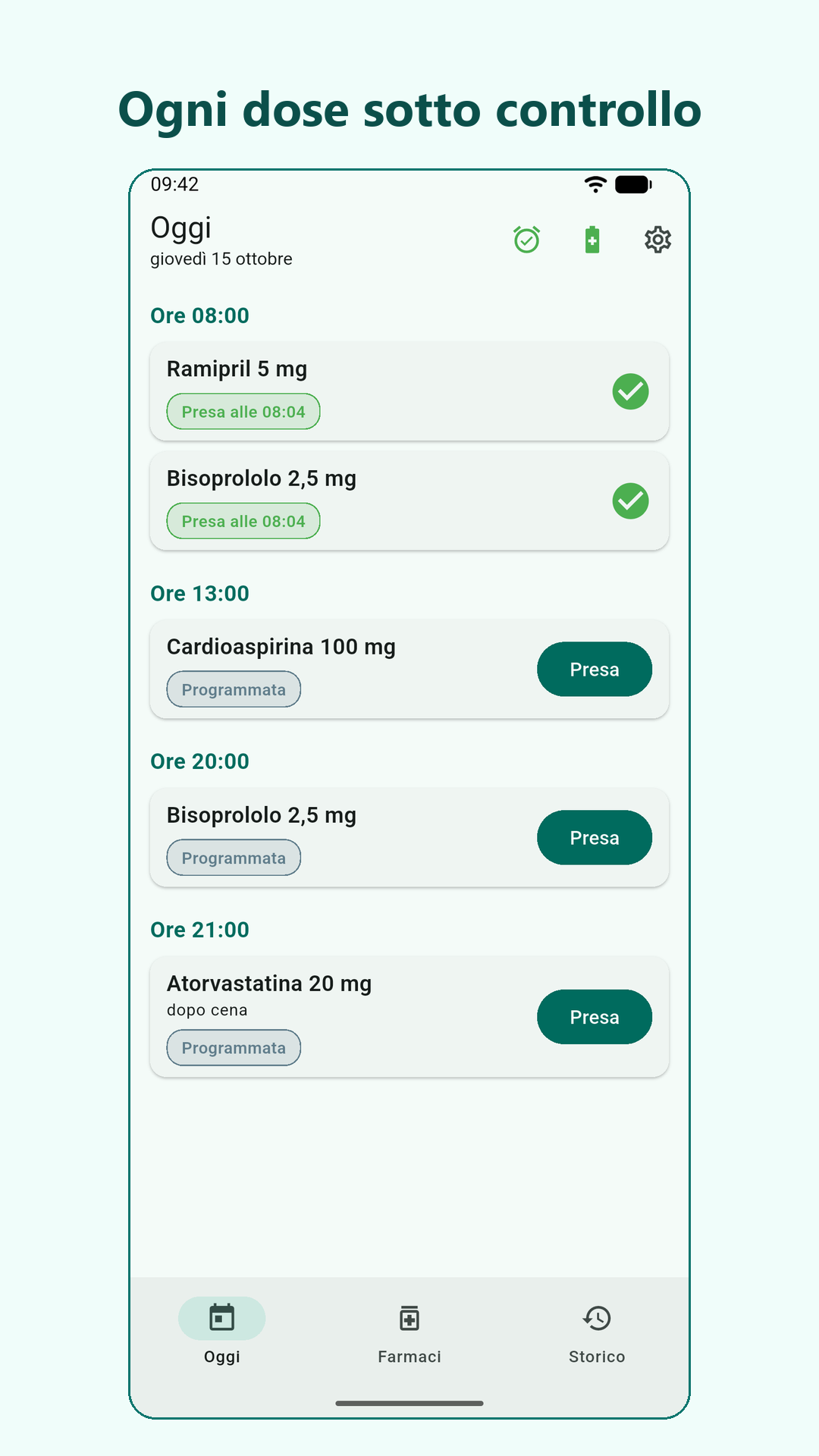
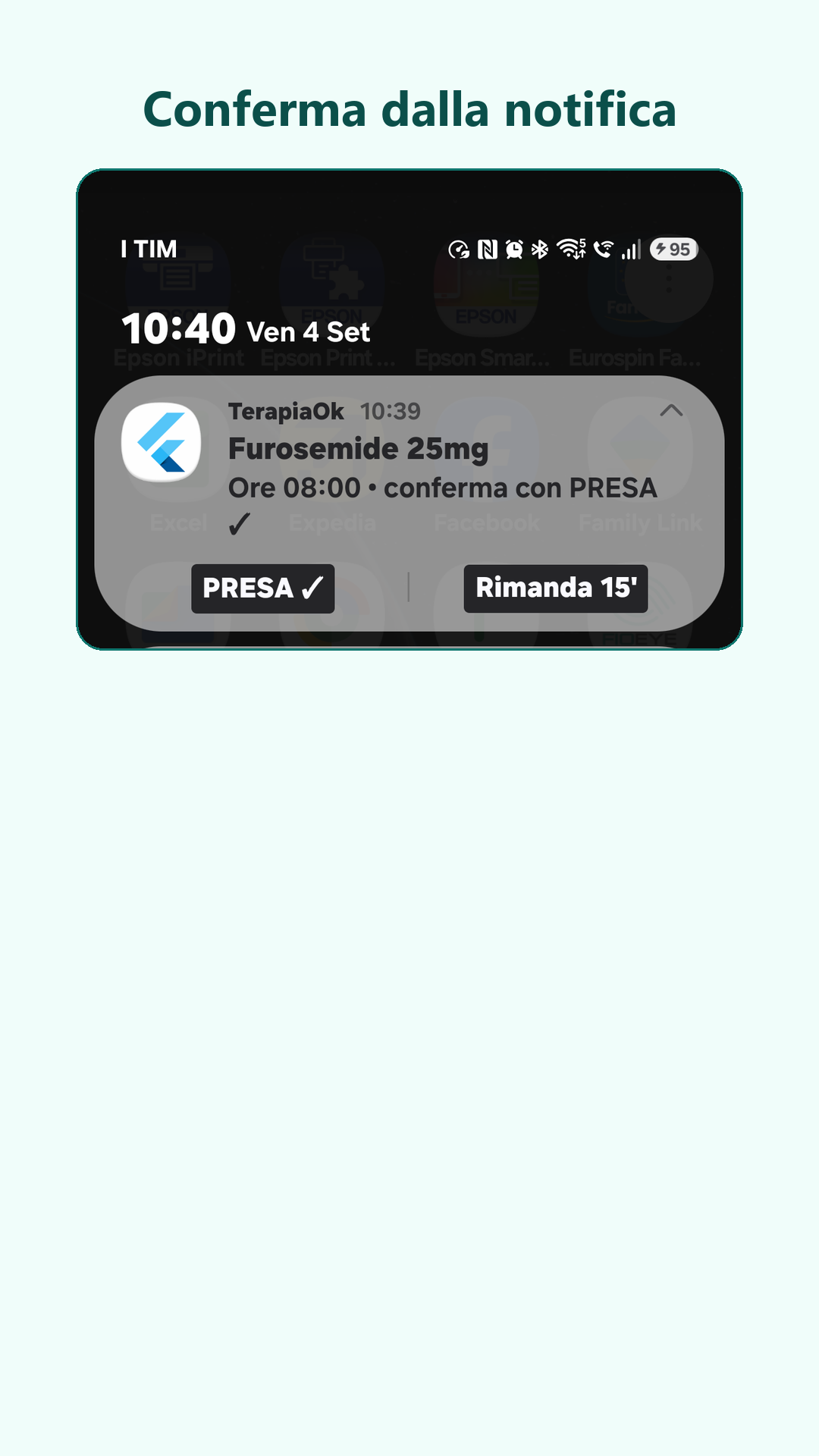
- Per-medication confirmation: each dose stays “pending” until you say you took it, and the alarm keeps insisting with repeated re-alarms.
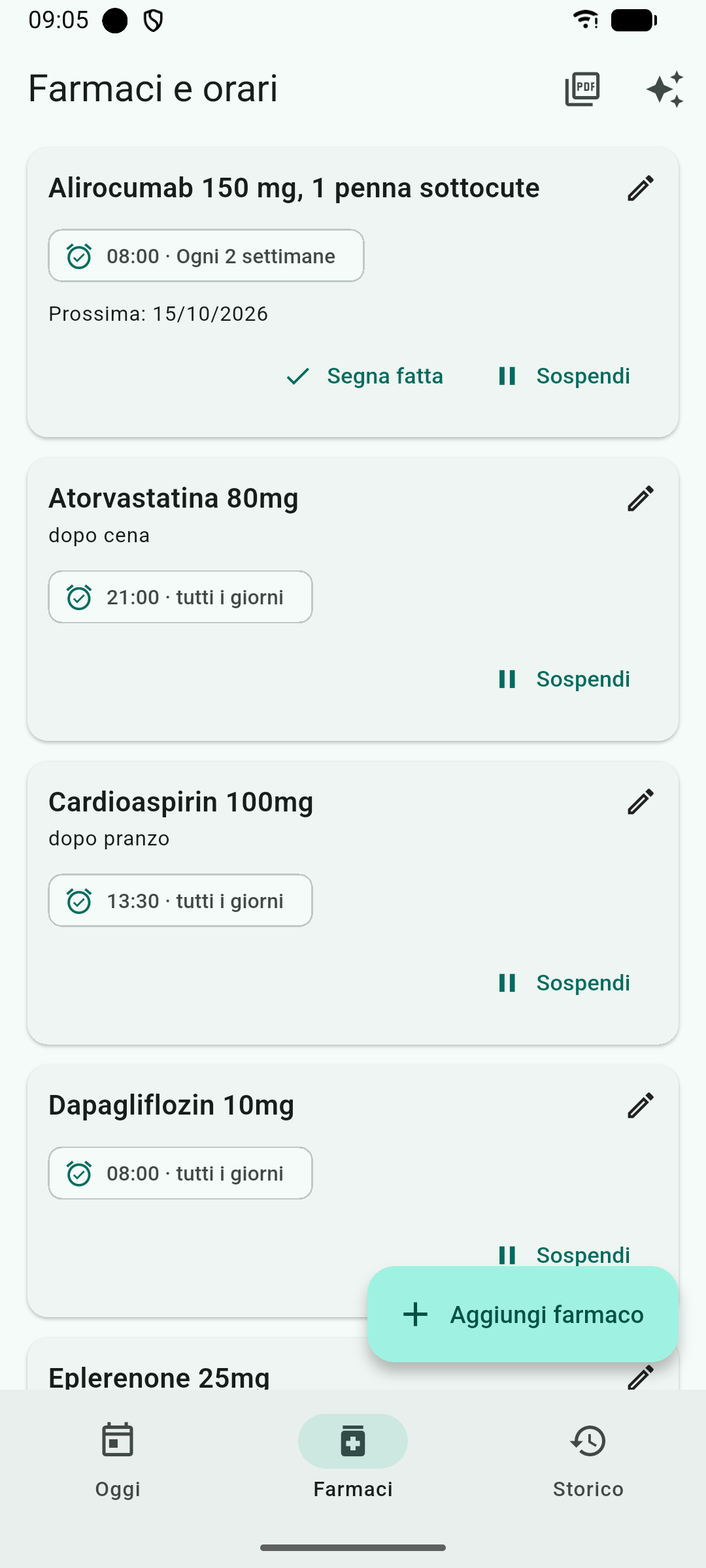
- Medications every N weeks or N months: for an injection every 2 or 4 weeks, or a monthly pill, the alarm rings only on the due day and comes back every day until it’s done (details below).
- Recovery after a forced stop: if the system kills the app, the doses are re-armed at the first opportunity.
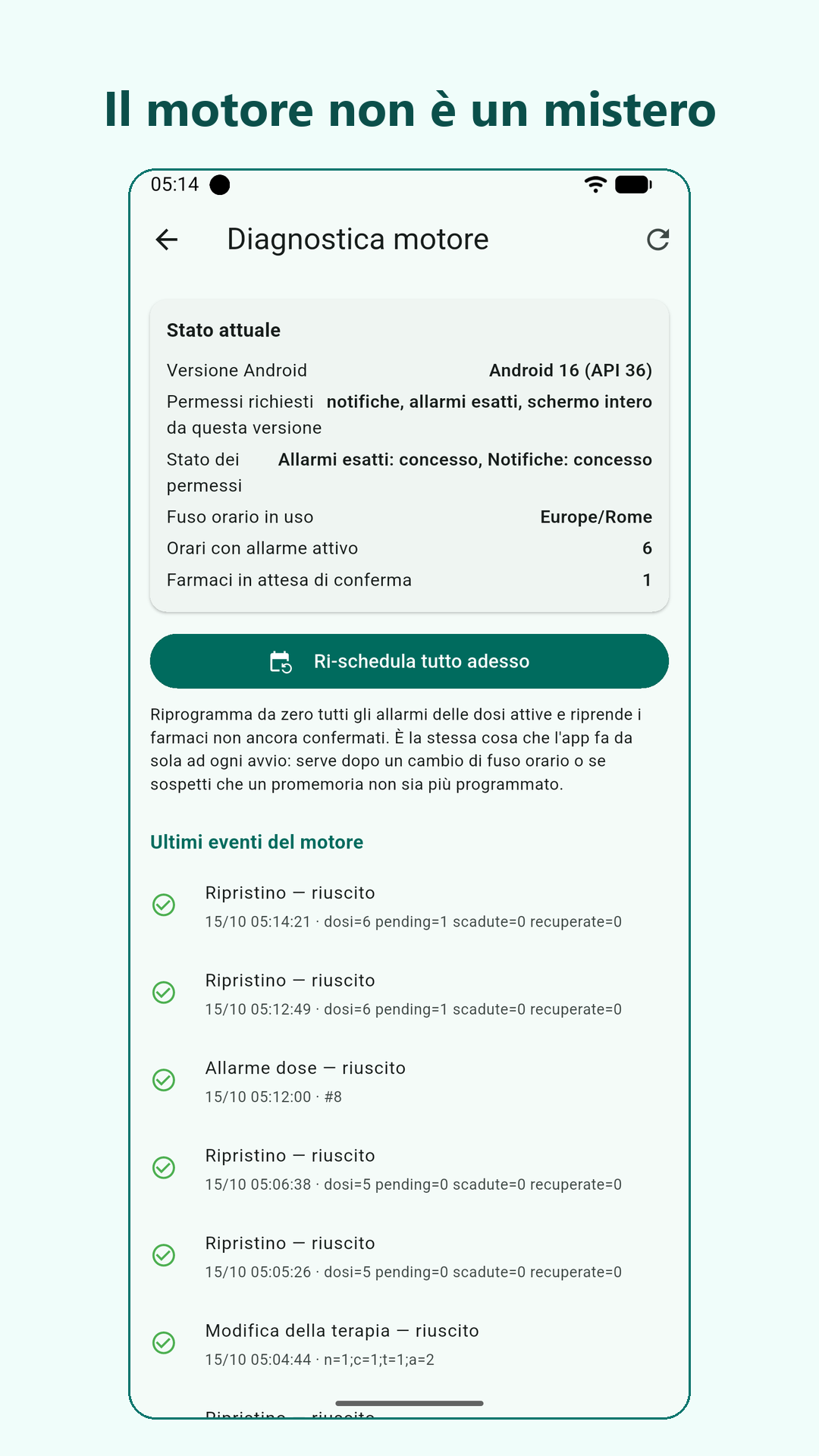
- A failure is never silence: the app warns you if the permissions the alarms need are missing, keeps a log of itself, and a Diagnostics screen shows whether the alarm engine is actually working.
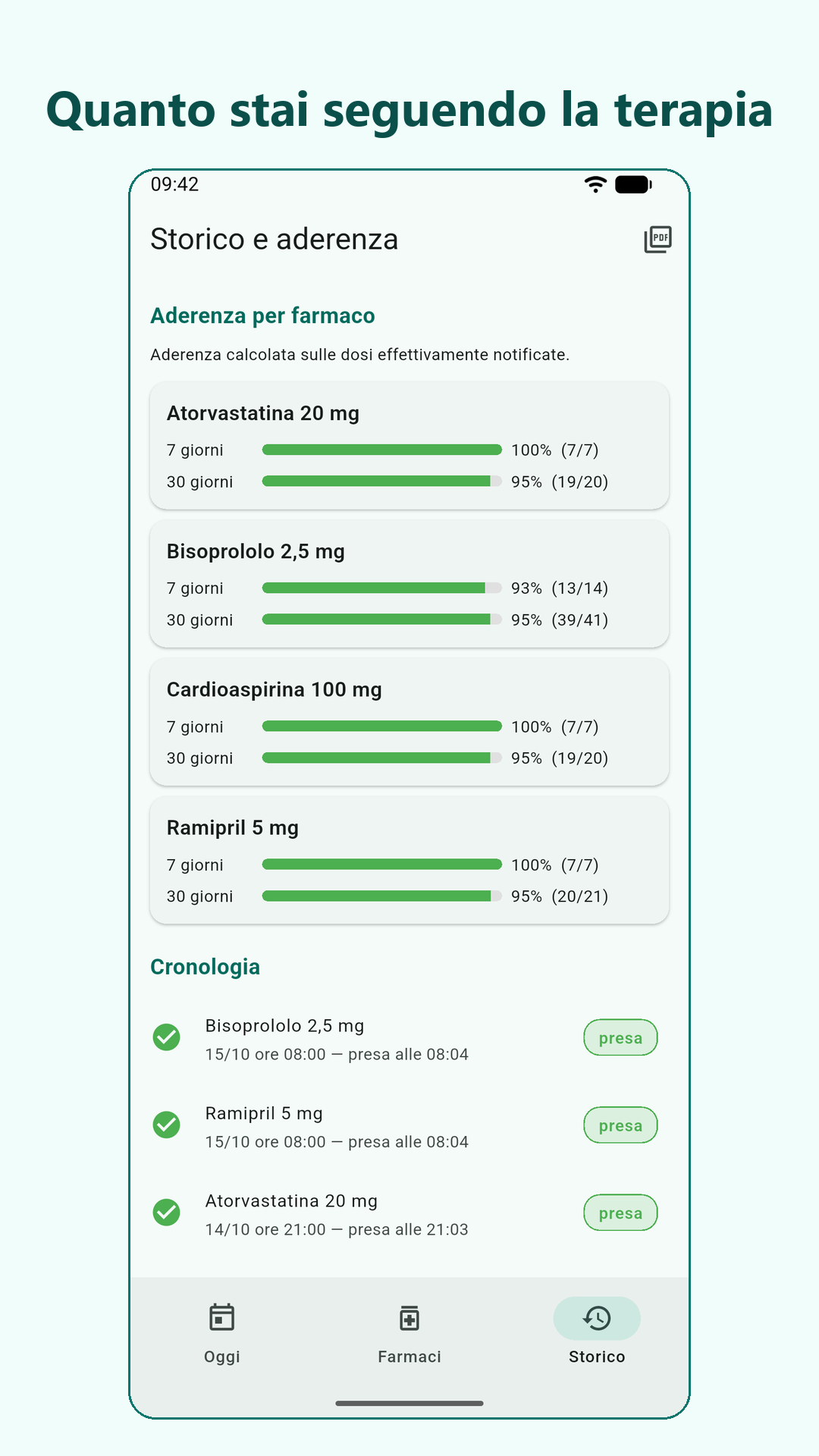
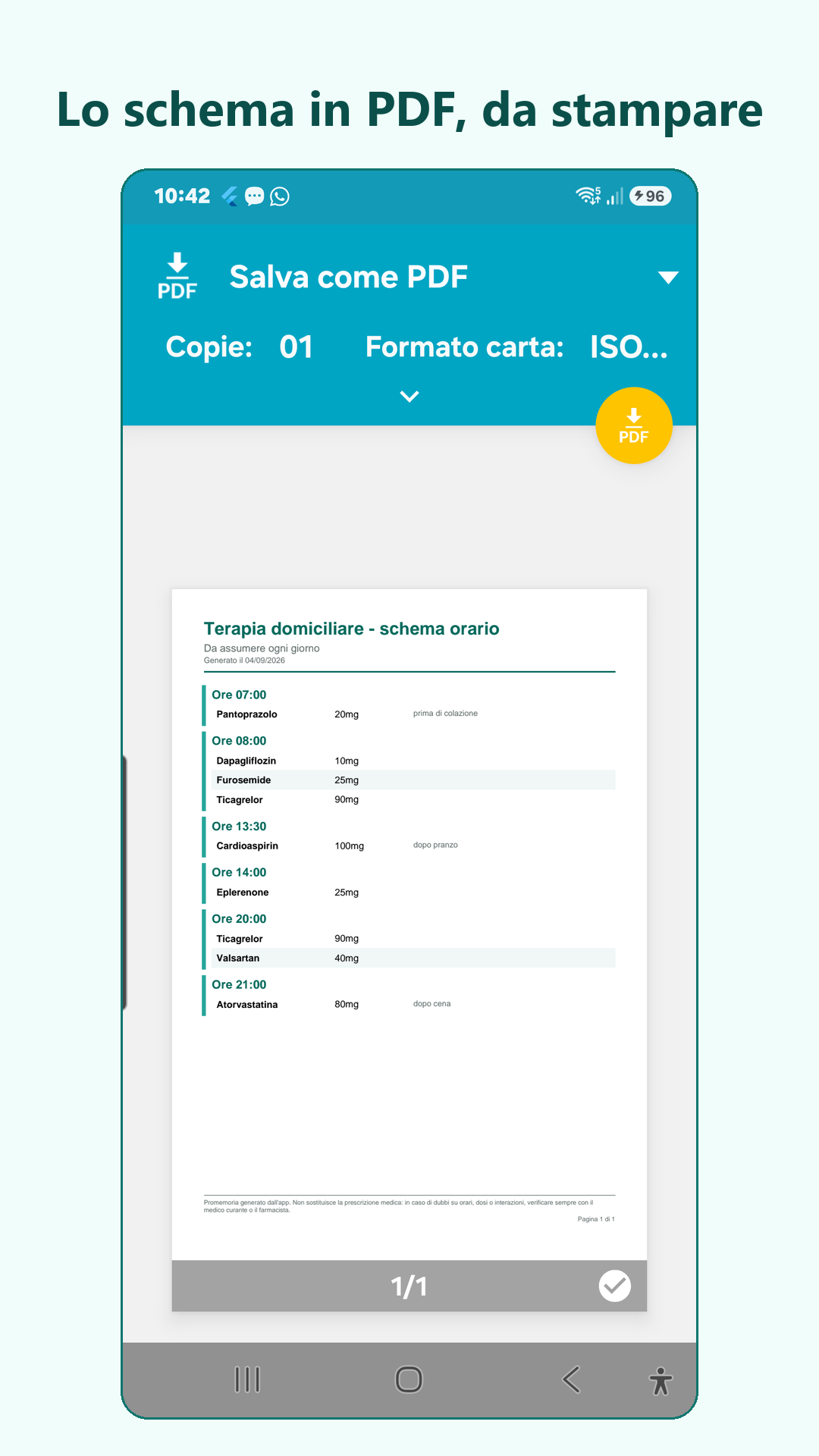
- History and PDF to bring to your doctor, including therapy adherence.
- Six languages: Italian, English, Spanish, French, German and Portuguese.
- Everything stays on the phone: no account, no server, no INTERNET permission, no health data leaves the phone. Android’s automatic backup is turned off, so health data is not carried away.
Medications every N weeks or N months
Some medications aren’t taken every day: an injection every 2 or 4 weeks, a pill once a month. Since version 1.2.0 TerapiaOk handles them like this:
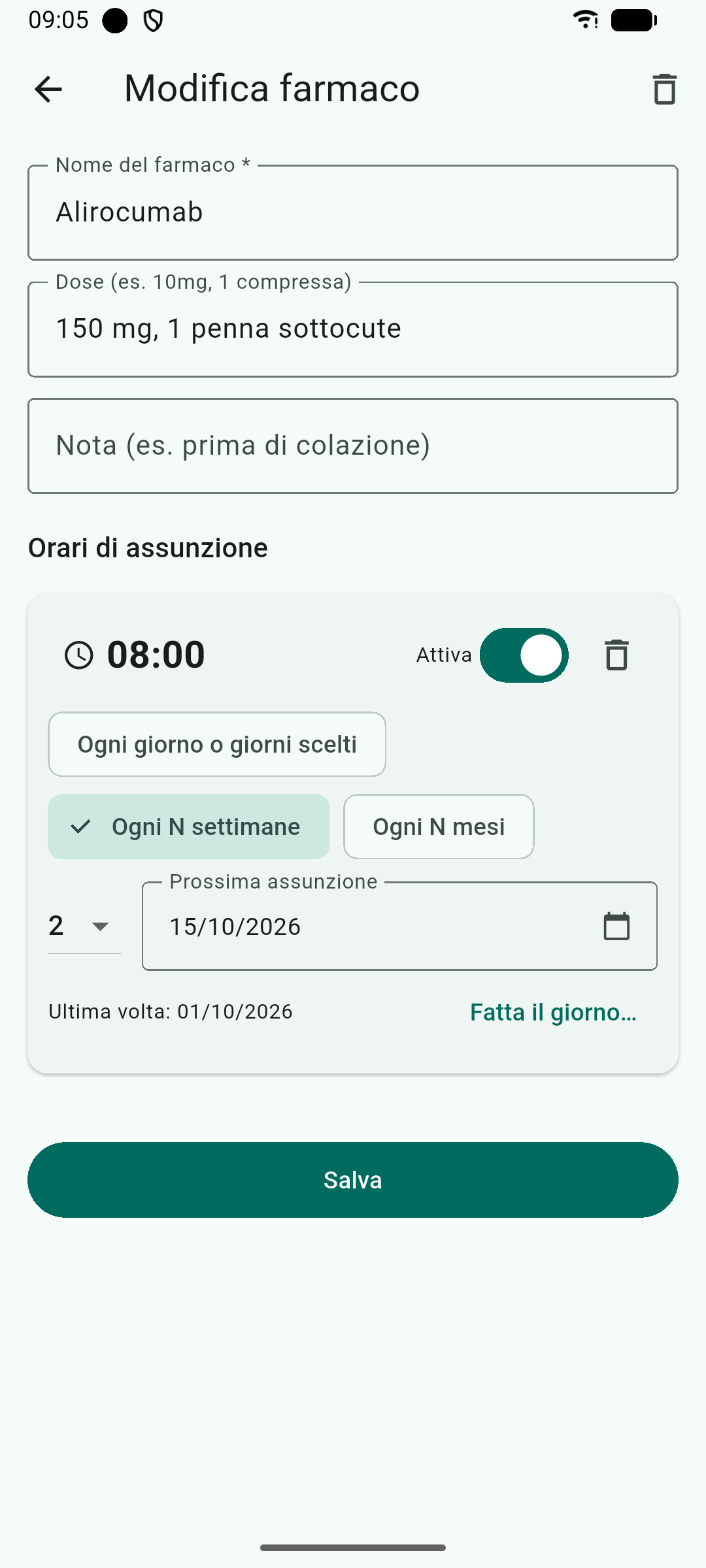
- In the medication screen choose “Every N weeks” or “Every N months” (1 to 12) and the date of the first dose, today or a future day.
- Pick the alarm time, between 8:00 and 22:00: it never rings at night.
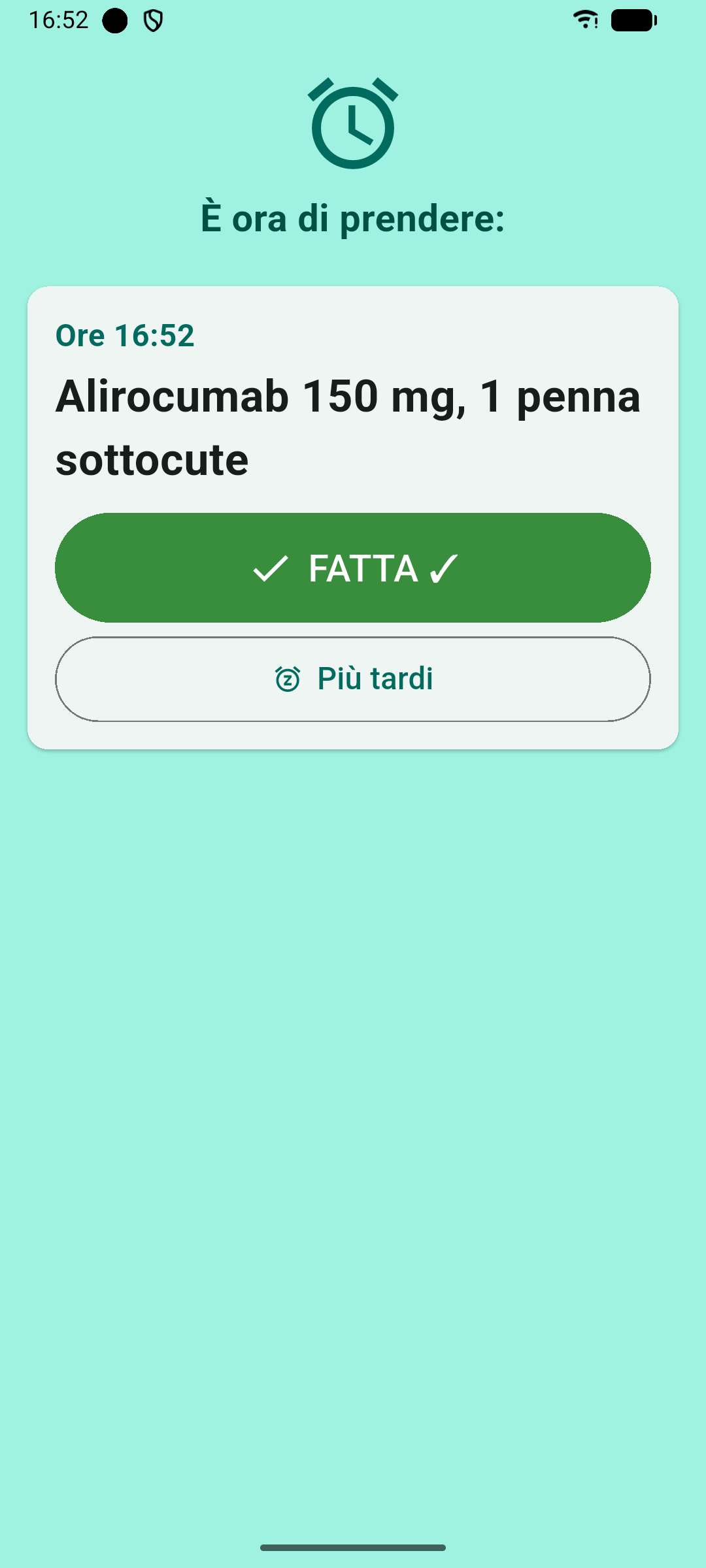
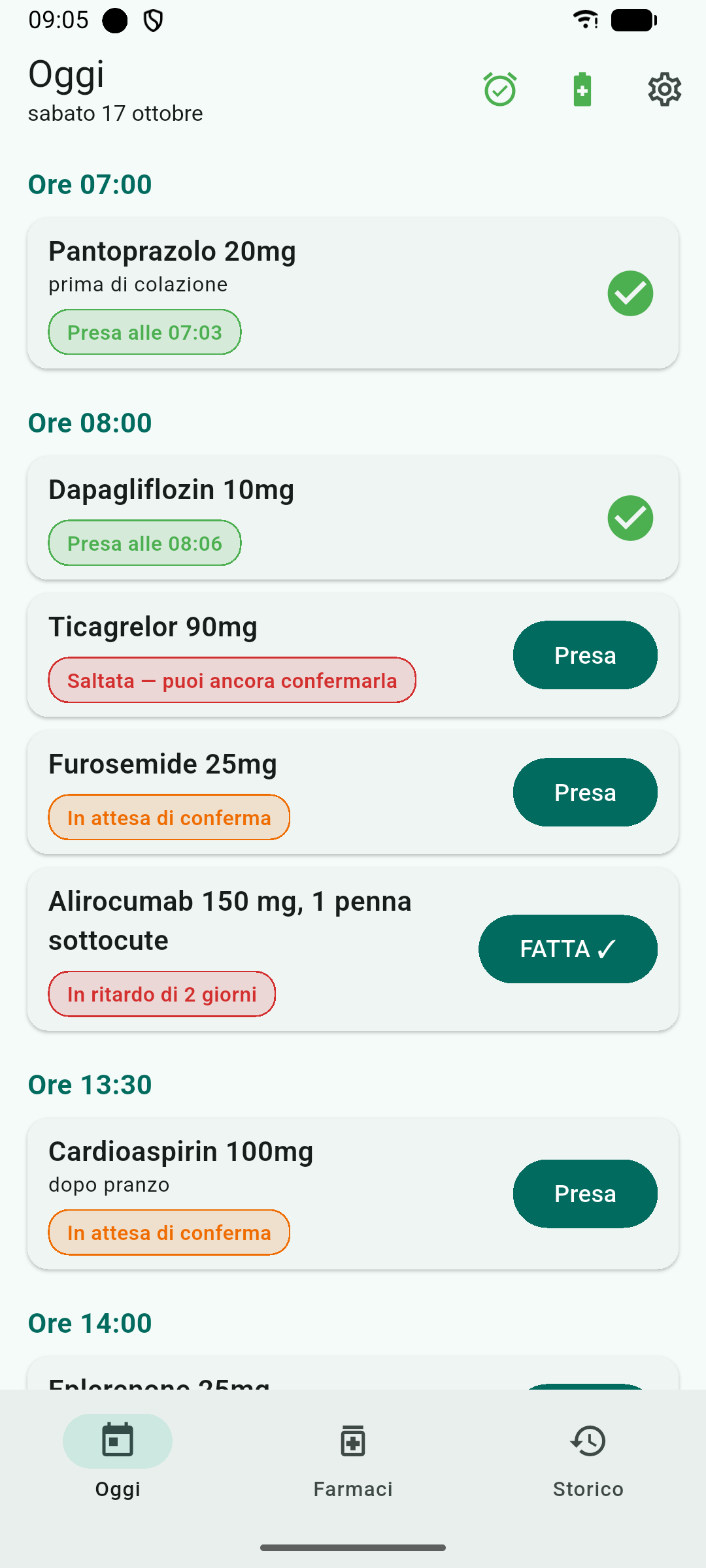
- On the due day the alarm rings and, if you don’t tap “Done”, it keeps insisting: it comes back several times during the day and starts again every morning until the dose is recorded. In Today the medication shows as “N days late”. It never turns into “skipped” by itself, and there is no “Skip” button.
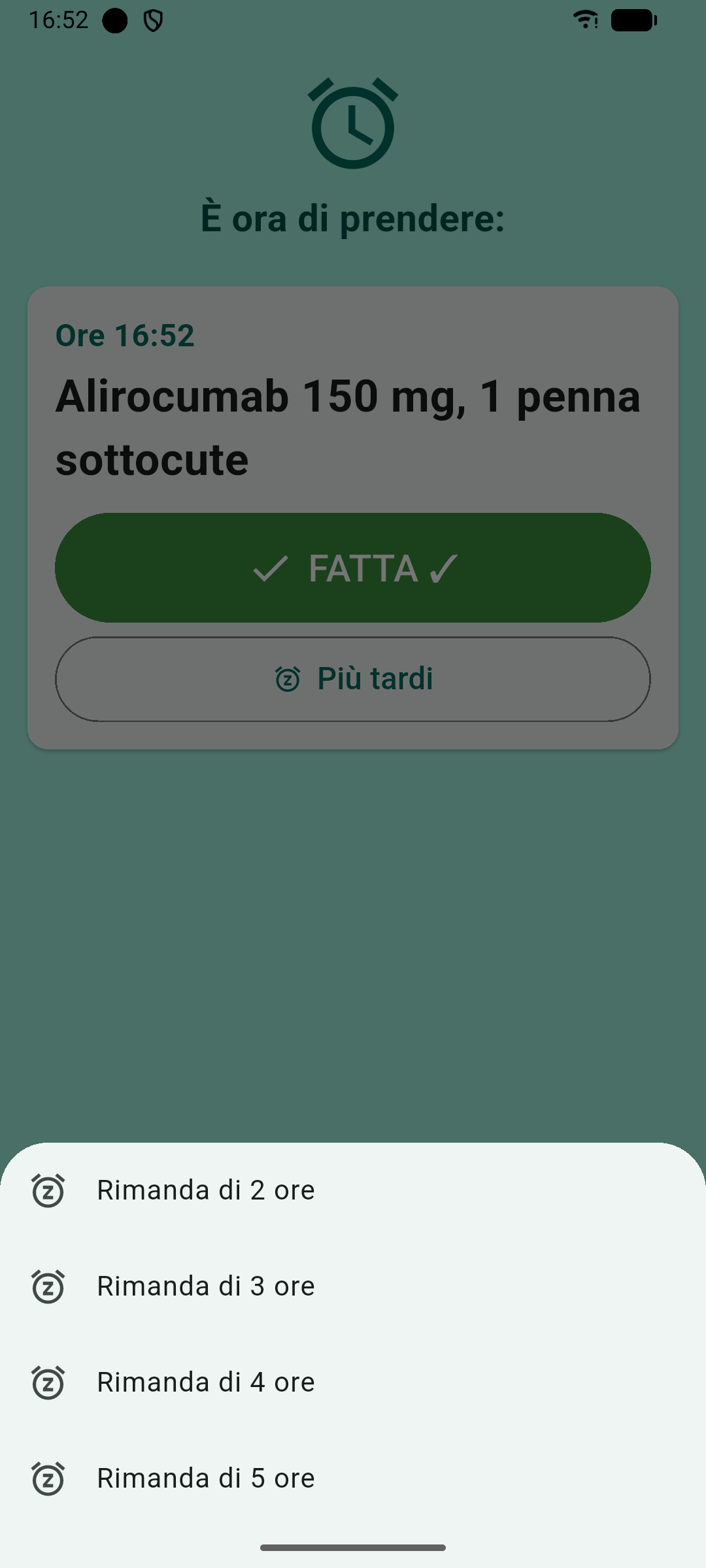
- “Later” snoozes the alarm by 2, 3, 4 or 5 hours.
- If you take it late, the count restarts from the day you actually took it: taken on the 13th instead of the 10th, every 4 weeks, the next one is 28 days after the 13th.
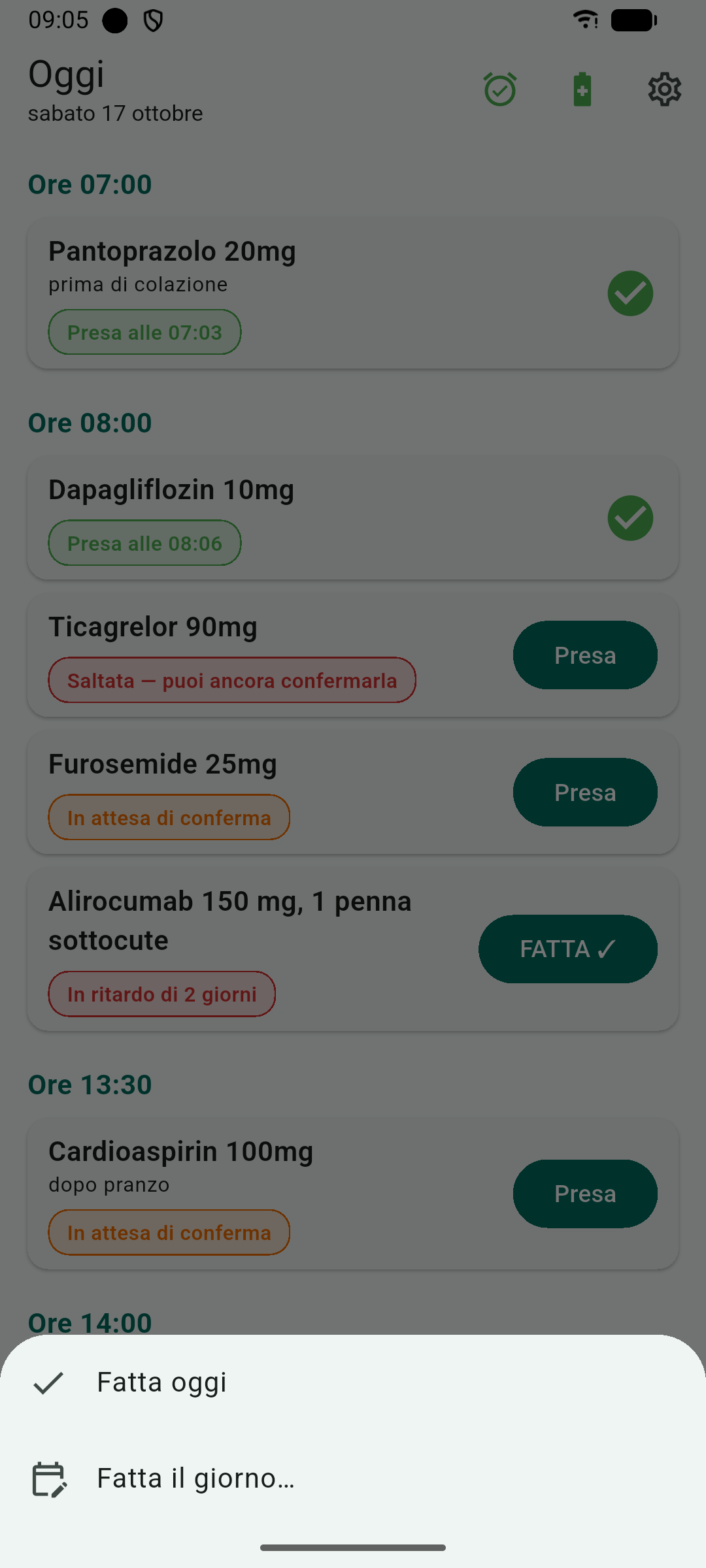
- You can mark it “Done on…” if you took it on another day, or early, up to 7 days before. Every confirmation offers Undo, for mistaken taps.
“Every N months” follows the calendar: taken on 5 March, the next is 5 April; from the 31st it moves to the last day of shorter months. AI import also understands phrases like “every 2 weeks” or “once a month”, in all six languages.
Making sure the alarm really reaches you
On first launch TerapiaOk asks for a few permissions: grant them all; if one is missing, the Today screen tells you.
- Notifications: without them the alarm can’t be seen.
- Alarms & reminders (exact alarms): they ring on time even with the phone in standby.
- Full-screen notifications: they turn the screen on with the big alarm and the Done and Later buttons. On recent Android versions an app installed from outside Google Play doesn’t get this permission until you grant it (Settings → Apps → TerapiaOk → Full-screen notifications). If you’re already using the phone, Android shows the alarm as a banner at the top: that’s normal.
- Unrestricted battery: some phones close background apps to save battery. Leaving TerapiaOk unrestricted avoids late alarms.
How to build your reminder list with AI
You don’t have to type medications one by one: assisted import reads your prescription with the help of an external AI assistant.
- Take a photo of the prescription or therapy sheet.
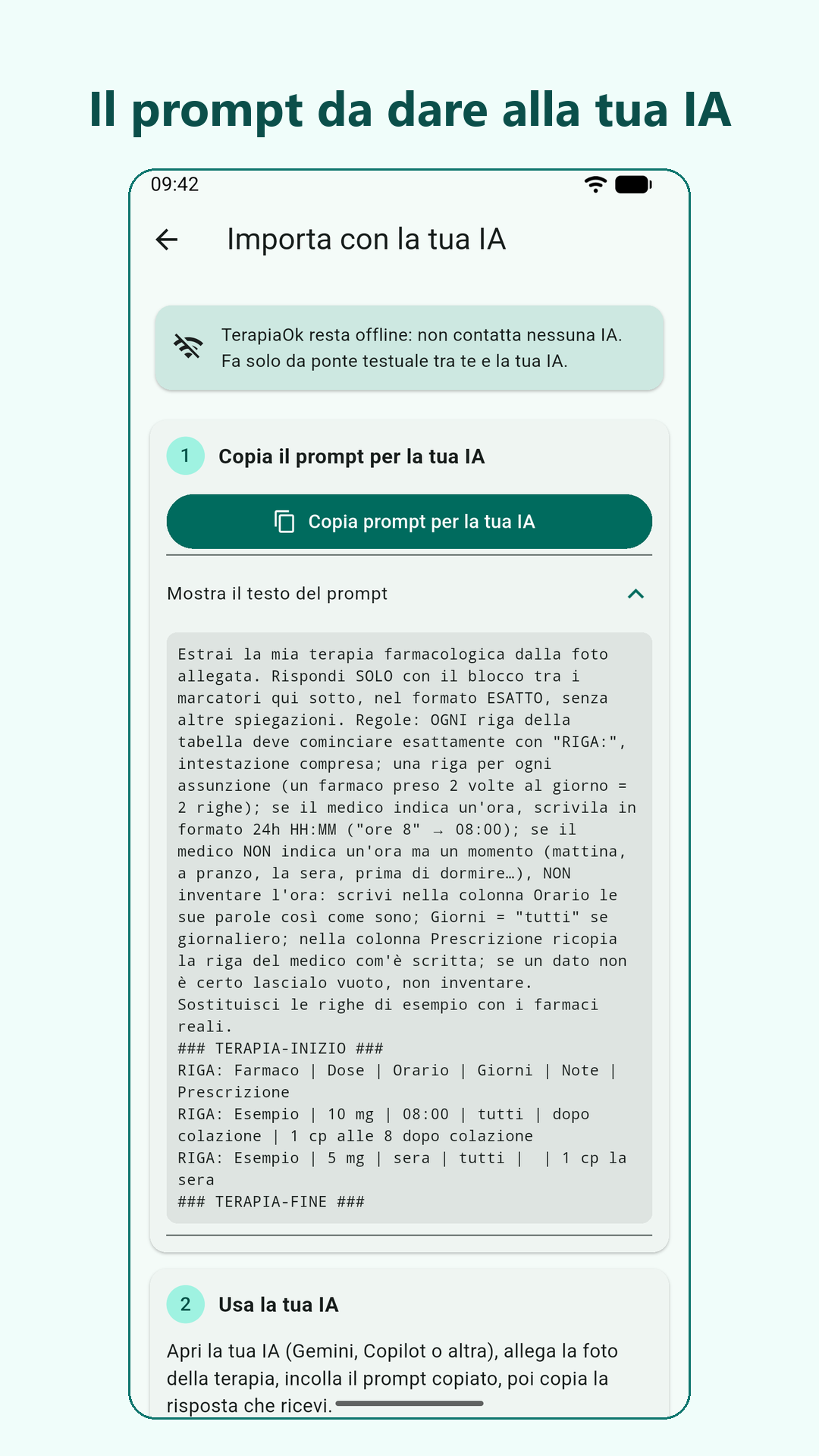
- In TerapiaOk open assisted import and copy the prompt it offers.
- Paste it into an AI assistant (ChatGPT, Gemini, Claude…) together with the photo.
- Copy the assistant’s reply and paste it into TerapiaOk.
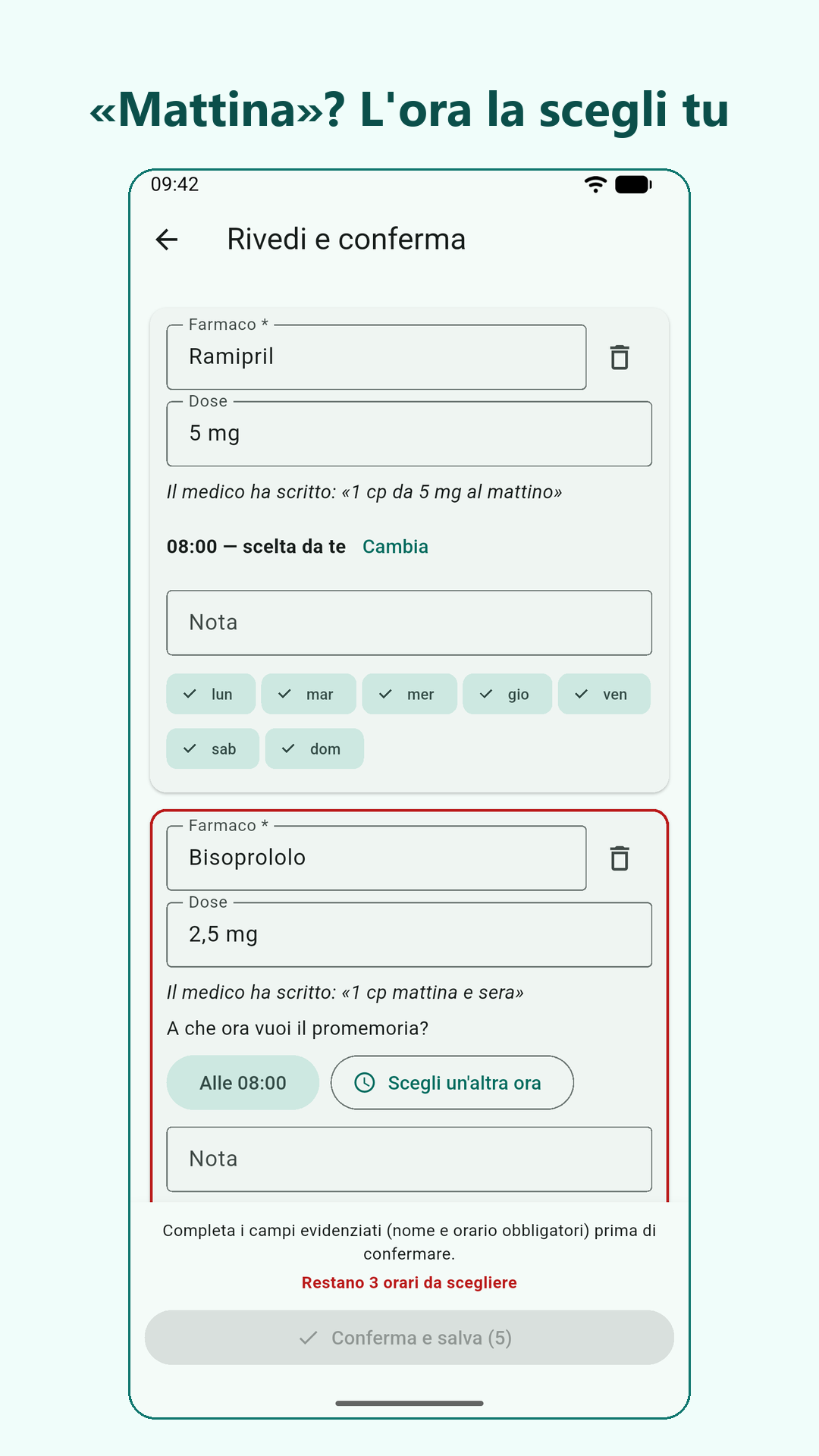
- Check the entries: medication, dose, time and days (or the interval, e.g. “every 2 weeks”, with the date of the first dose). If the doctor wrote “morning”, “afternoon” or “at dinner” rather than an exact time, the app shows the medication name with the doctor’s prescription and you choose the exact time: no alarm is ever set to a time you haven’t seen.
- Confirm: your reminders are ready.
Please note. AI can make mistakes: always check the entries before confirming. TerapiaOk is a reminder, not a medical device, and does not replace the advice of your doctor or pharmacist.
When the therapy changes
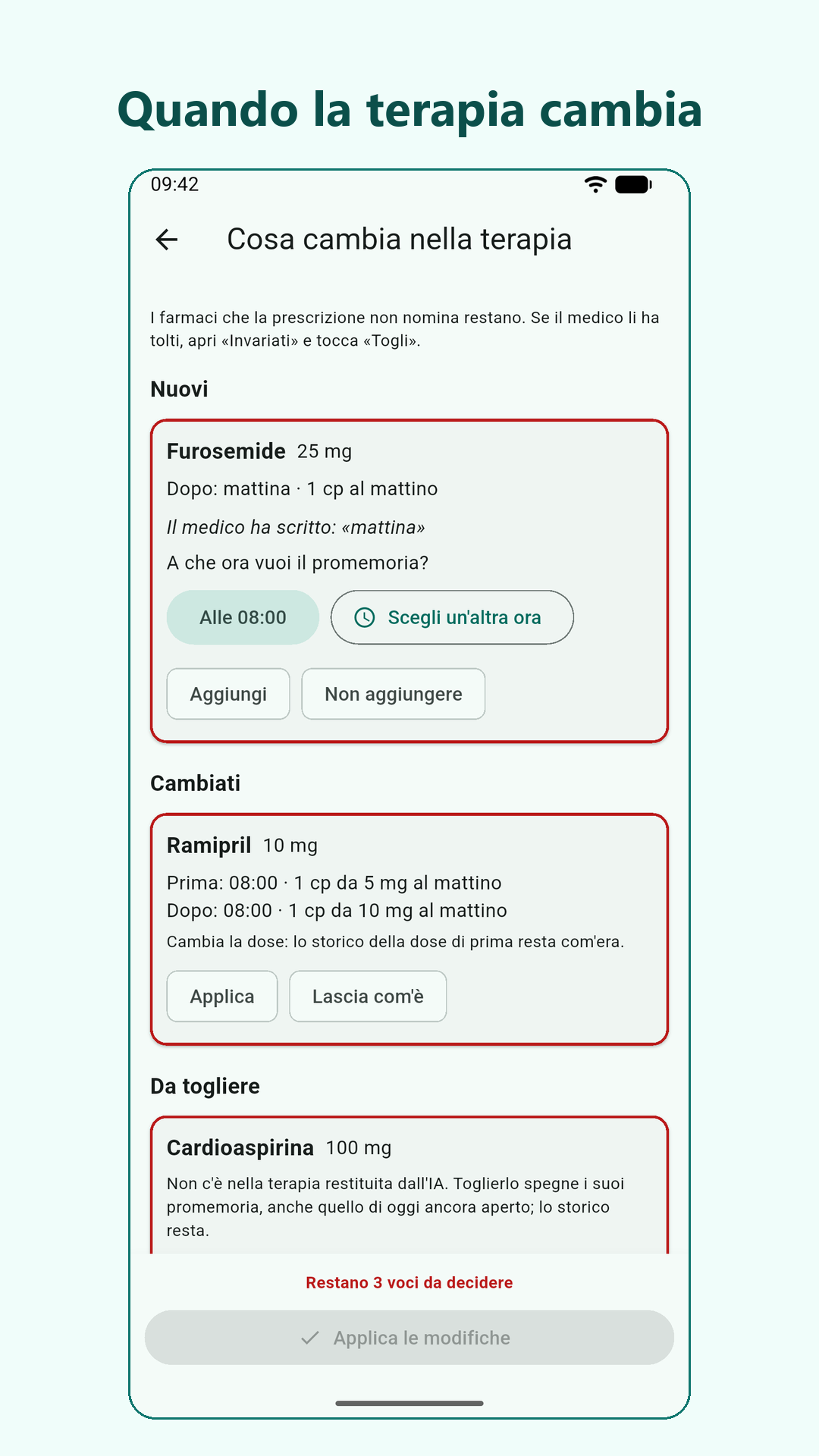
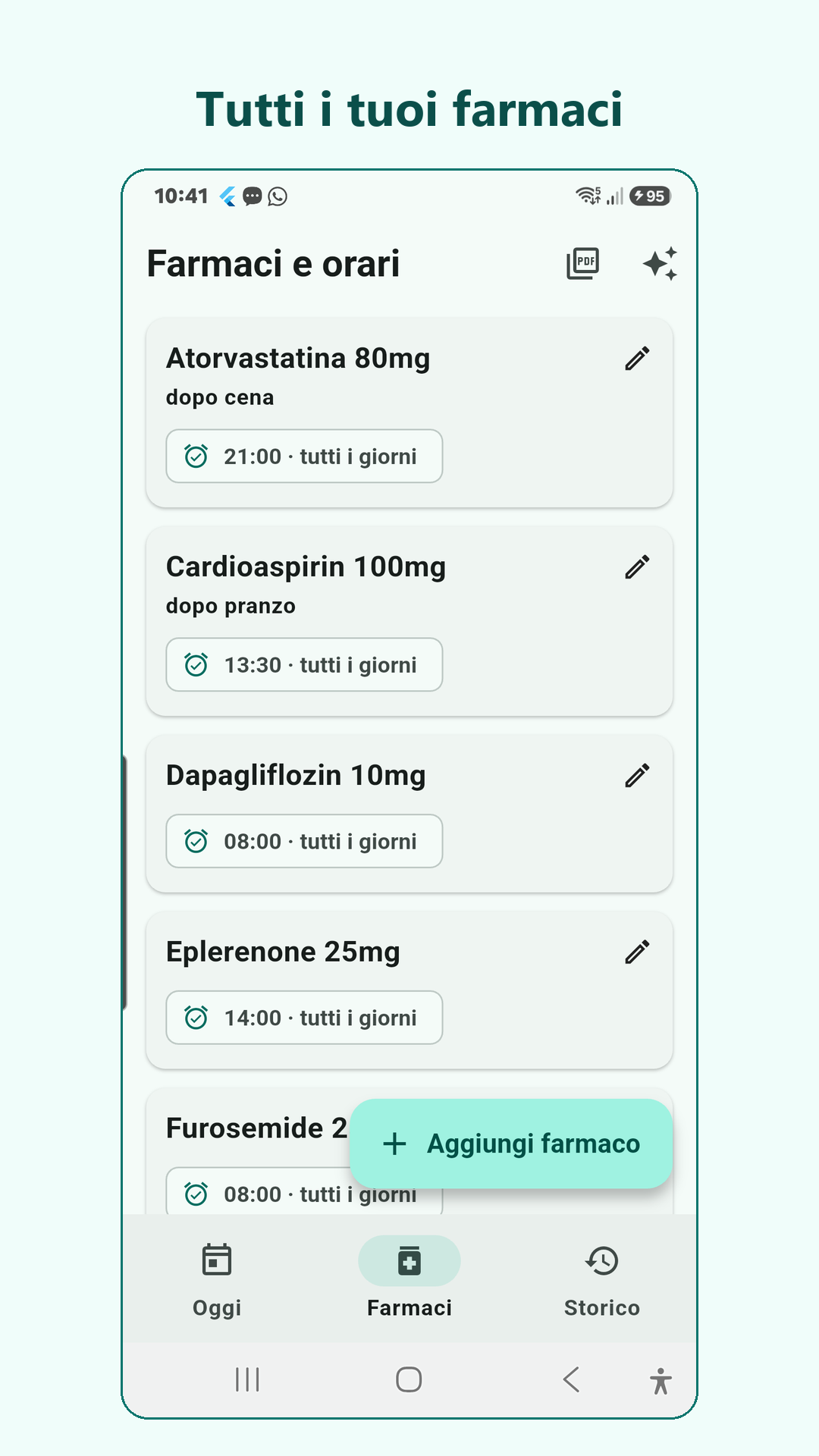
If your doctor changes a dose or a time, removes a medication or adds one, the procedure is the same, from the Medications screen with “Edit with AI”: you photograph the new prescription and bring the assistant’s reply into the app. TerapiaOk shows what is added, what changes and what is removed, and you confirm entry by entry. Your history is not lost.
Installation
TerapiaOk is installed from outside Google Play, so Android asks for a few extra permissions:
- Download the file with the “Download the APK for Android” button and open it.
- If Android asks, allow installing from unknown sources for the browser you downloaded it with.
- Google Play Protect may show a warning: that is normal for an app that doesn’t come from the store. Choose to install it anyway.
- Android 7.0 or later is required.
Earlier versions and release notes are on the releases page.
How it’s built
- The alarm engine talks to the system only through “ports”: in tests they’re replaced by doubles and a controllable clock, so weeks of therapy run in seconds.
- Every serious defect found in review was put back on purpose, to check that its test turned red again.
Screenshots
Want to try my Android apps before they come out? Become a tester